Designed for the Editor
Block patterns and constraints designed alongside the pages, so editors assemble rather than improvise.
Most WordPress website design is judged on launch day and falls apart three months later, when someone adds a page and the spacing goes wrong. Custom WordPress design done properly means designing the block patterns your team will actually use — so the tenth page they build still looks like the first. The code side is WordPress development.
Designing for WordPress is different from designing a website. The difference is that other people will keep building pages after you leave.
Block patterns and constraints designed alongside the pages, so editors assemble rather than improvise.
Native blocks, not a builder that adds weight to every page and locks your content into its format.
A defined scale rather than per-page nudges — the single biggest cause of WordPress sites drifting.
Designed against your actual copy and images, not placeholder text that always happens to fit.
Specified so the theme implements the design rather than approximating it.
A WordPress design is not finished when it is approved; it is finished when it still looks right after a year of editing. These checks are aimed at that.
These are design-system checks. Any performance or search figure comes from your own tooling after launch, not from us.
Four constraints a static website design does not have. Ignore them and the design degrades on contact with an editor.
Discuss a Project →What editors can rearrange, and what they should not.
Prebuilt sections that keep new pages on-brand.
Headings of any length, images of any ratio.
What the theme can express without custom code.
Visual design plus the editing system underneath it.
Type scale, color, spacing and imagery treatment established as a system rather than decided page by page.
Key templates designed against your real content — home, service, article, contact and whatever else carries commercial weight.
Prebuilt sections editors drop in, so a new page is assembled from approved pieces rather than built from scratch each time.
Which settings editors can change and which are locked, designed deliberately — flexibility where it is safe, constraints where it is not.
Behavior specified per section across breakpoints, so mobile is designed rather than inherited.
Every design checked against long headings, short headings, missing images and empty states — the conditions real content produces.
Contrast validated, focus states designed, text scaling handled, target sizes checked as part of design.
Tokens, spacing scale and component behavior documented so the theme build matches rather than approximates.
Design and build are usually bought together. WordPress development covers the theme, performance and plugin side. The platform work behind the design is WordPress development; indexation behavior the theme decides is WordPress SEO.
The right amount of flexibility depends entirely on who will use it and how often, and that is a question about people rather than about design.
Edits a few times a year and forgets between times. Needs strong patterns and very few decisions.
Builds campaign pages regularly. Needs a real pattern library and enough flexibility to avoid a developer ticket per campaign.
Several people across departments with varying care. Needs tight constraints, because the least careful contributor sets the standard.
Someone technical maintaining it for you. Can handle more flexibility, but needs the system documented rather than explained once.
Daily content where speed matters most. Needs the article template to be effortless and everything else to stay out of the way.
No editor identified, which is worth resolving before launch — an unowned site degrades faster than a constrained one.
Content structure, then system, then pages — with the editing experience designed alongside.
What gets published, how often and by whom. A site edited weekly by three people needs different design decisions from one edited twice a year.
Type, color and spacing scale defined first, so every later decision inherits from something rather than being judged by eye.
The pages that carry commercial weight, designed against real content in every state it actually takes.
Reusable sections designed and named, so editors have approved pieces instead of a blank canvas.
Tokens, responsive behavior and editor constraints documented for whoever implements the theme.
A good theme configured well is a legitimate answer. These are the cases where designing for the editor is worth paying for.
The editing experience is used weekly. Small friction multiplied across a year is a real cost, and it is invisible in a design review.
Where off-brand pages are a genuine problem and enforcing rules by policy has already failed.
Currently on Elementor or Divi, slow because of it, and looking for something maintainable rather than another builder.
Content types a theme does not anticipate, where every page is currently a workaround.
Conventional content, modest budget, infrequent editing — a good theme is the right call and we will say so.
The design is rarely the problem. What happens to it afterwards usually is.
Usually because pages have been built since launch by people working without a system. The original templates still look right; everything added afterwards was improvised.
The mechanism is ordinary. An editor needs a section that does not exist as a pattern, so they build one from generic blocks. The spacing is close but not from the scale. The heading is one size off. Done a dozen times over a year, the site develops a second, accidental design language.
The fix is not stricter rules for editors. It is giving them patterns for the things they actually need to publish, so the on-brand option is also the easy one.
For a site you will edit yourself with no developer available, a builder is a defensible trade. For anything else, the costs outweigh the convenience and they do not go away.
Builders load their own CSS and JavaScript on every page whether that page uses their components or not, which is a permanent performance tax. They also store content in their own format, so moving away later is a rebuild rather than a redesign.
The native block editor now covers most of what builders were originally needed for, and patterns give editors the same assemble-from-pieces experience without the weight or the lock-in. That is what we design toward.
The design has to survive other people. A static site is built once and changes when a designer changes it. A WordPress site changes whenever anyone in the business publishes something.
That shifts what you are actually designing. Alongside the pages, you are designing the set of moves an editor can make — which sections exist, what they allow, where flexibility is safe and where it will cause damage.
It also means designing for content you have not seen. A headline twice as long as the mockup, a portrait image where a landscape was assumed, a section with two items instead of six. Designs that only work at the intended content length break the first time reality differs.
A good premium theme is genuinely fine when budget is the binding constraint and the site is straightforward. It is not a lesser answer for a small brochure site, and we will say so.
Custom becomes worth it when the brand needs to look like itself rather than like a template, when the content structure is unusual, or when performance matters commercially — themes built to sell to thousands of businesses carry features you will never use and cannot fully remove.
The middle option is often best: a lightweight base with a custom design system and pattern library on top. That gets the distinctiveness without paying for a full bespoke build, and it is what most projects in this range should probably choose.
A pattern is a prebuilt arrangement of blocks an editor inserts as a unit — a hero, a three-column feature set, a testimonial with an image. They matter because they are the difference between an editor assembling a page and an editor designing one.
Without patterns, every new page is built from scratch by someone making layout decisions under time pressure. The results are inconsistent, and they get more inconsistent as more people contribute.
With a good pattern library, building a page becomes choosing from a small set of known-good arrangements. The design holds because the decisions were made once, by a designer, rather than repeatedly by whoever is publishing.
The library should cover the layouts your site actually uses, which is usually a smaller set than anyone expects. Six to ten patterns covers most business sites, and a library much larger than that stops being scannable and starts being ignored.
Enough to do the things they legitimately need, and nothing beyond that. The specifics matter, because both extremes cause real problems.
Too much flexibility and the design erodes. Colors get picked outside the palette, spacing gets set by eye, and within a year the site has drifted somewhere nobody chose. This is what an unconstrained block editor produces by default.
Too little and people work around the system entirely. They paste formatted content from a document, or stop using the site and put things in a PDF, or ask a developer for every change — which is exactly the dependency the build was supposed to remove.
We resolve it by looking at what actually varies. Section background alternating between two defined options is a real need. Arbitrary color selection is not. The first becomes a toggle, the second is simply not offered, and nobody misses it.
Because the design described a moment and the site continued after it. Every page added since is a chance to diverge, and enough small divergences add up to a different site.
The specific mechanisms are consistent. Images uploaded at the wrong aspect ratio and cropped by the browser. Headings chosen for size rather than for structure. Spacing adjusted by eye on one page and not another. Blocks used for something they were not designed for because nothing else was close.
None of these are anyone's fault. They are what happens when a system leaves decisions open and busy people make them quickly. The design file is not present at that moment; the editing interface is.
Which is why the interface is where the design has to be enforced. Documented image dimensions, a heading control that reflects hierarchy rather than size, spacing as fixed steps, and patterns that cover the real cases — those hold up over a year in a way that a style guide never does.
A design expressed as a system rather than as pages, mapped to what the block editor can actually do.
That means every design token — color, type size, weight, spacing step, radius — named and listed, so the theme can define them once as theme settings rather than have them measured off a mockup per component.
It means each pattern documented with what varies and what does not. Which fields does an editor fill? Which arrangement is fixed? What happens with one item, three, or seven? A pattern designed only at three items will be used with seven eventually.
And it means designing within the editor's grain rather than against it. A layout that is beautiful and cannot be expressed in blocks will either be rebuilt as something else at build time or implemented as a rigid block nobody can edit — and both outcomes waste the design work. Where the build side is also ours, WordPress development closes that gap directly.
The specific things about your site, in the place they will look, written for people who are not designers.
Generic WordPress guidance is freely available and not what your team needs. What they need is which patterns exist and what each is for, what image dimensions to use, which heading level to pick, and what to do when nothing quite fits.
Image dimensions in particular save more trouble than anything else on the list. Most layout problems on an established WordPress site come from images uploaded at the wrong ratio and cropped unpredictably, and the fix is a documented size next to the upload field.
The last item — what to do when nothing fits — is the one always omitted and the one that determines whether the design holds. Without an answer, someone improvises, and the improvisation becomes precedent.
And the documentation should live inside the site rather than in a file somewhere. A help page in the admin, or short notes on the patterns themselves, gets read; a document in shared storage does not.

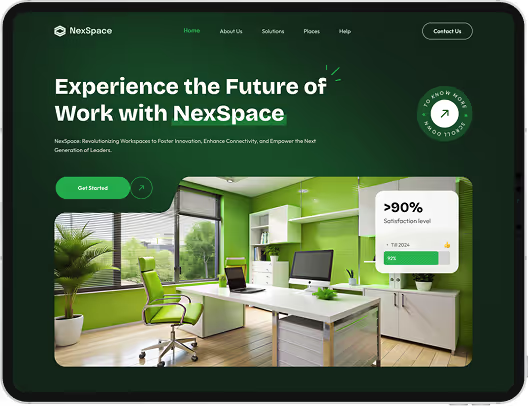

Designing a WordPress site's visual system, key templates and block pattern library — including the editing constraints that keep the design intact as your team publishes new pages.
Design decides how it looks and how editors work with it. Development builds the theme, handles performance and manages plugins. They are usually bought together and are genuinely different work.
Not for custom work. Native blocks and patterns give editors the same flexibility without adding weight to every page or locking your content into a proprietary format.
Yes. An existing site has real content and real editor habits, which makes it easier to design something that will actually be used well. If URLs change, that becomes a redesign project with redirect planning.
That is the goal, and it is why the pattern library exists. Editors assemble pages from approved sections rather than improvising with generic blocks, which is what keeps a site consistent.
Mobile behavior is specified per section rather than left to the theme. Most traffic arrives on a phone, and a design that only exists at desktop width is half a design.
Yes. Where guidelines conflict with usability requirements — contrast is the usual one — we flag it and propose an accessible variant rather than quietly ignoring the guideline.
It depends on template count and how quickly content and feedback arrive. Content readiness is usually what sets the timeline rather than design time itself.
It buys editing freedom and costs portability, because builder content is stored as builder markup rather than clean HTML. WordPress migration covers what that means if you ever move.
Still deciding if wordpress web design is right for you?
Talk to UsA WordPress design is finished the day it launches and then keeps changing for years, edited by people who were not in any of the design conversations and have no reason to know what the spacing scale is.
That is not a failure of those people. It is the nature of a content management system — the whole point is that non-designers can publish without asking anyone. But it means the design that matters is not the one in the mockup. It is the one that exists after fifty pages have been added by four different people.
Which makes the pattern library the real deliverable. Not because patterns are exciting, but because they decide whether the easy path and the on-brand path are the same path. When they are, consistency happens without anyone maintaining it. When they are not, no amount of documentation prevents drift.
So we design the moves, not just the pages.
Tell us who publishes and how often. We will tell you what the design system needs to cover — and how much flexibility is safe to give away.