Content Modeled Properly
Structured around meaning rather than around the current page layout, which changes.
Going headless separates content from presentation, which buys flexibility and can quietly cost the editing experience. No preview, no sense of layout, a form of abstract fields. Headless CMS development treats that as a design problem rather than a side effect — because a fast site nobody in the business can update is not an improvement.
Headless projects are usually specified by developers and used by editors. Those are different requirements.
Structured around meaning rather than around the current page layout, which changes.
Editors seeing what they are publishing, which headless removes unless it is built back in.
Named for what they are, not for where they appear in a component tree.
Whether a change is live in seconds or after a build, agreed rather than discovered.
Where a traditional CMS would serve better, we will say so.
It solves real problems and creates specific ones. Both are predictable.
Discuss Your Content Setup →The same content can feed a website, an app and a third party, because it is not tied to one template.
Any framework, any rendering approach, no template language imposed by the CMS.
The CMS no longer knows how content is displayed, so preview has to be deliberately built.
With static rendering, a content change is live after a rebuild rather than immediately.
Content model, front end, and the editing experience in between.
Where editors need to control layout as well as content, WordPress is often the better answer. The front end is usually Next.js development or React development; the traditional alternative is CMS development.
The content model comes first, and it is worth arguing about before anything is built on it.
What types exist, how they relate, and which fields are genuinely structural.
Against editing needs, budget and how content will be reused.
With rendering chosen per route.
Because it is the thing editors miss most.
Content moved with URLs intact, and editors shown how it works.
The model is the durable part. Designs are replaced every few years; the content structure usually is not.
Fields that describe what something is rather than where it appears. "Author biography" survives a redesign; "left column text" does not.
The failure mode is modeling the current page layout — a type with fields called heroTitle, section1Text, section2Image. It works until the layout changes, and then every entry has to be rewritten.
Modeling by meaning takes longer at the start and is what allows the same content to feed a redesign, an app or an export without being re-entered.
Mainly context. In a traditional CMS the editor sees the page; in a headless one they see a form. Without deliberate work they cannot tell how long a headline will look, whether an image crops badly, or what the page will read like.
Preview environments restore most of that, and they are frequently descoped because the site works without them. Six months later the editing team has quietly stopped updating anything.
Treating preview as part of the build rather than as an enhancement is what separates headless projects that get used from ones that get abandoned.
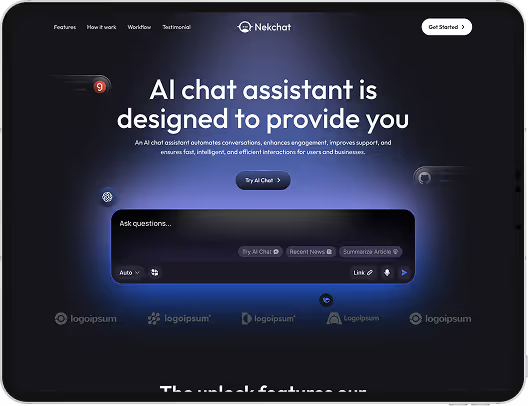
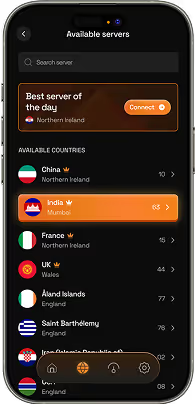
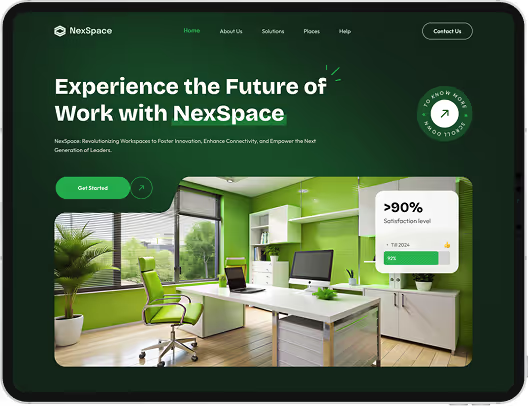
A headless CMS stores and serves content through an API without controlling how it is displayed, so any front end can consume it. The trade is that presentation, preview and layout become the front end's responsibility.
Not inherently. Headless suits content reused across several surfaces and teams who want full front-end control. WordPress suits editors who need to see and control the page. The right answer depends on who updates the site.
Only if preview is built. The CMS no longer knows how content is rendered, so a preview environment has to be created deliberately. Skipping it is the most common reason headless sites stop being updated.
Immediately if the front end fetches at request time; after a rebuild if it is statically generated. Incremental regeneration sits between the two. This should be agreed before the build, not discovered afterwards.
It depends on editing needs, content volume, budget and whether it needs to be self-hosted. We recommend against defaulting to whichever is most discussed — the differences that matter are in the editing experience, not the API.
Not if rendering is handled properly, and it frequently helps. What matters is that content ships in the HTML — technical SEO covers verifying that, and any move needs SEO migration.
Still deciding if headless cms development is right for you?
Talk to UsHeadless projects are usually justified on performance and flexibility, both of which are real. The measurements afterwards support the decision.
What the measurements do not capture is whether the site is still being updated. A marketing team that could publish a page in ten minutes and now files a ticket will publish less, and the site slowly goes stale while scoring well on every technical metric.
The editing experience is not a nice-to-have on a headless build. It is the thing most likely to determine whether the project was worth doing.
Tell us who updates the site and how often. We will tell you honestly whether headless fits, and what the editing experience would need to include.