Failure Branches Included
What happens when a step does not succeed.
Screens designed before the sequence is agreed produce a set of pages that do not connect. User flow design settles that first: what happens in what order, where the decisions are, and what occurs on the branches — the failures, the reversals and the interruptions that otherwise get discovered in production.
The happy path is the easy part and it is usually the only part anyone maps.
What happens when a step does not succeed.
Going back, which most flows treat as an exception.
People arrive mid-flow from links and emails.
Leaving and returning, on a different device.
Because reordering a flow after screens exist is expensive.
A flow is finished when every path a real user could take has somewhere to go. Most flow documents describe only the successful route, which is why the missing states are discovered during development instead.
Failure paths are where flow documents are usually thinnest and where most development questions originate. A flow that defines only the successful route hands every exception to whoever builds it, which means those decisions get made individually and inconsistently.
Four things, and settling them before design saves the most rework.
Discuss Your Flow →What is asked when, which decides completion more than field count.
Where the path splits and on what basis.
What happens when a step cannot complete.
Leaving partway and coming back.
The complete map, including everything that is not the happy path.
Once the flow is settled, wireframe design turns it into screens. Turning an agreed flow into screens is wireframe design; validating it before build is prototype design.
Map the happy path, then spend most of the time on everything else.
What the flow is for, and what completing it means.
The sequence when everything works.
Failures, reversals, interruptions and re-entry.
What is asked when, and whether it could be later.
Walked through with real cases before design begins.
Not every feature needs a flow document. The ones that do are those where the branching is genuinely complex, where several people are involved, or where the cost of an unhandled state is high.
Applications, onboarding and configuration sequences where the path changes based on what the user enters. These are where undocumented branches accumulate and where the built result diverges from what anyone intended.
Approvals, handovers and anything waiting on a second party. The hard questions are what the waiting user sees and what happens when the other person never acts, and both are invisible in a single-user flow diagram.
Where part of the process happens in a payment provider, an identity service or another product. The boundaries are where failures concentrate, because neither system owns the state in between.
Where the current path has accumulated exceptions nobody has documented. Mapping what actually happens today, including the workarounds, is usually more valuable than designing the intended future state first.
Where certain steps must occur in a certain order, be recorded, or be reversible. The constraints have to be in the flow before the interface exists, because they determine what the screens can do.
The happy path is a straight line and takes an hour. Everything else takes the rest of the week.
What happens when a payment fails, an email does not arrive, a code expires, a user closes the tab halfway, or the same person starts again on another device.
Each is common enough to occur daily at any real volume, and none is on the flow diagram, so each gets handled improvised at build time by whoever hits it first.
The result is inconsistent behavior across a single flow — one failure returns to the start, another shows an error, a third silently loses everything.
Because completion depends heavily on when something is asked rather than how much is asked in total.
Requesting personal details before showing whether the thing exists loses people who would happily have provided them afterwards. Same fields, different order, very different completion.
This is why the flow is settled before screens are drawn — reordering a sequence on a diagram costs minutes, and reordering it after eight screens exist costs a redesign.
Most flow diagrams document the route where everything works: the user has the information, the payment succeeds, the connection holds. That path is usually obvious to everyone involved and rarely the source of disagreement.
The value of the document is in everything else. What the user sees when a card is declined. What happens if they close the tab at step four. Whether a half-completed application is saved and how long it survives. Who is notified when an approval is never given. These are the questions that arrive during development, and if the flow does not answer them they are answered ad hoc by whoever is building that piece.
The practical discipline is to walk each step and ask what could prevent it from completing, then define the response. This makes flow documents longer and less elegant, and it is the entire reason they are worth producing rather than describing the sequence in a sentence.
When a flow replaces something already in use, the strong temptation is to design the improved version immediately. The existing process is known to be flawed, so documenting it feels like effort spent on something being discarded.
It is usually the more valuable half of the work. Established processes accumulate exceptions for reasons that were legitimate at the time, and those reasons are frequently undocumented — a step that exists because a regulator asked for it, a manual check that catches a specific failure, an order of operations that prevents a known problem. A replacement designed without knowing them removes protections nobody remembered to mention.
It also surfaces the workarounds, which are the most informative artefact available. Wherever people have built a spreadsheet, a shared document or an informal step outside the system, they have marked a place where the official process does not work. Those markers point directly at what the replacement has to solve.
A flow is not a set of screens and it is not a requirements document. It occupies the space between: what has to happen, in what order, under what conditions, without yet specifying how any of it looks. That position is what makes it useful, and it is why collapsing it into either neighbour loses something.
Going straight from requirements to screens means the branching gets discovered during interface design, when it is expensive to accommodate — a state nobody anticipated needs a screen nobody designed. Going straight to development means it gets discovered during implementation, which is more expensive still.
Keeping it separate also makes it reviewable by people who cannot usefully review an interface. Operations staff, compliance and support can all tell you that a step is missing or in the wrong order, and they can do that from a flow far more easily than from a set of wireframes where the logic is implicit.


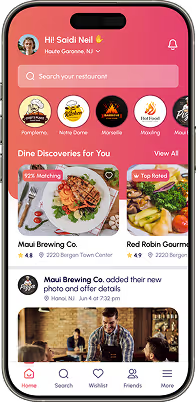

User flow design maps the sequence, decision points and branches of a task before screens are designed — including failure paths, reversals, mid-flow entry and interruption.
Because screens designed before the sequence is agreed produce pages that do not connect, and reordering after they exist means redesigning them.
The branches — failed payments, expired links, closed tabs, resuming on another device. Each is common at real volume and none appears on a happy-path diagram, so each gets improvised at build time.
More than the number of them. The same fields in a different order can produce very different completion, which is why sequence is settled on a diagram rather than discovered in a build.
A flow settles sequence; wireframes settle what each screen contains and how it is prioritized. The flow comes first.
A flow documents the mechanics of a specific process — steps, branches and states within a system. A journey is broader and covers the whole experience across channels and time, including things that happen outside the product entirely. Flows are used to build; journeys are used to identify where the experience breaks down across an organization.
Wireframes show screens; they do not reliably show what connects them or what happens when something fails. A set of wireframes can look complete while leaving several states undefined, because a missing state has no screen to be missing from. Flows expose those gaps before anyone draws anything.
Detailed enough that a developer does not have to invent behavior. That means every branch resolved, every failure handled and every end state defined. Detail below that level pushes decisions into implementation; detail far above it — specifying copy and layout — belongs in the wireframes and makes the flow harder to change.
Whoever knows what actually happens, which usually includes people outside the design team. Support knows where users get stuck, operations knows the manual steps, and compliance knows the constraints. A flow reviewed only by designers and developers tends to describe the intended process rather than the real one.
It becomes the specification the interface work is built against, which is why wireframing follows rather than precedes it. Every state in the flow needs a screen or a defined behavior, and the flow is what makes it possible to check that none was missed once the screens exist.
Still deciding if user flow design is right for you?
Talk to UsFlow diagrams get drawn as a sequence of boxes with arrows between them: start, step, step, step, done. It takes an hour and it describes what happens when nothing goes wrong.
Nothing goes wrong perhaps two-thirds of the time. The rest is a payment declining, a link expiring, a tab closing, someone resuming on their phone — none of which is on the diagram.
So each of those gets decided during implementation, by whoever encounters it, differently each time. The flow ends up with three inconsistent failure behaviors that nobody designed and nobody can explain.
Tell us what the task is. We will map the sequence and the branches, including the ones that usually get discovered in production.